 UltraGPT

What Is an AI Aggregator? A Complete Guide to Multi-Model AI Platforms
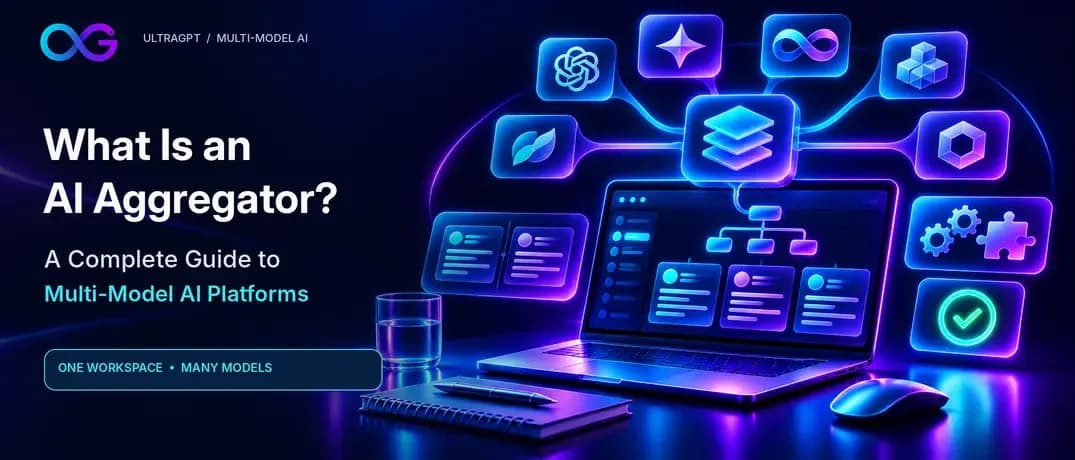
An AI aggregator is a platform that lets you access, compare, or route between multiple AI models from one place. Instead of opening separate services for different models, you use a shared interface or API to work with models from multiple providers. Depending on the platform, it may also centralize billing, let you compare answers, or automatically send a task to a suitable model.
AI aggregators exist because no single model is the best fit for every task. One may be useful for coding, another for drafting, and another for analyzing a complex question. A multi-model platform can make it easier to choose the right tool, compare approaches, and switch models without repeatedly moving between products.
However, “AI aggregator” is a broad category, not one standardized type of technology. Some aggregators are chat platforms for everyday users. Others are API gateways for developers, automatic routers, or systems that coordinate models and tools in a workflow. Understanding those differences is essential when deciding whether an aggregator fits your needs.
What Is an AI Aggregator?#
An AI aggregator platform brings together access to multiple AI models, providers, or capabilities through one interface, account, or API. It acts as a common place to use models that might otherwise be accessed through separate products or integrations.
A platform may include some or all of these elements:
- A shared interface or API: A single place to submit prompts and receive model responses.
- Access to multiple models or providers: Users can choose among different models, subject to the platform’s current availability and plan.
- Centralized usage management: Some platforms provide one billing account, shared credits, usage tracking, or API key management.
- Comparison features: A user may be able to send the same prompt to more than one model and inspect the results.
- Routing or fallback: An API platform may choose a provider or try an alternative if a request cannot be served.
- Workflow tools: Some platforms connect models with tools, files, or other models to complete tasks in stages.
- Multiple modalities: Certain platforms may include text, image, audio, video, or document capabilities.
Not every aggregator offers all of these. The term describes a general product category rather than a single technical architecture. One AI aggregator may focus on a convenient chat interface; another may focus on one API that developers can use to access models from different providers. Some are designed to compare models manually, while others route requests automatically.
It is also useful to distinguish an aggregator from a simple directory or marketplace. A directory might help people discover AI tools but not provide access to them. A marketplace may list models or services for users to choose from. An aggregator typically adds a common access layer: it brings the interaction, integration, or management of multiple AI options together in one place.
How Does an AI Aggregator Work?#

At its simplest, an AI aggregator passes a user’s request to a selected AI model and returns the response. What happens in between depends on the product. The platform may let the user choose the model, compare several models, or delegate the choice to a router.
Basic workflow: Submit a task → choose a model or routing rule → send the request to the relevant provider → receive the response → review, compare, or continue the work
For example, a user might enter a research question in a shared chat interface and select one model. The aggregator sends the prompt to the relevant provider, receives the model’s response, and displays it in the conversation. In an API gateway, an application sends a request to a common endpoint; the gateway handles the connection to the selected model provider and returns a response in a supported format.
Common ways an aggregator can handle a request include:
Manual model selection#
The user chooses which model should handle the task. This gives the user direct control and works well when they already know which model they want to try. It also makes it easier to test different models intentionally.
Side-by-side comparison#
The same prompt can be sent to multiple models, with the answers presented for comparison. This can reveal differences in coverage, style, reasoning, assumptions, or uncertainty. It is most helpful when the task is open-ended or important enough to justify reviewing several answers.
Automatic routing#
An AI router chooses a model or provider based on configured rules or signals such as task type, cost, response speed, availability, or capability. Routing might be configured by the user or application, or provided by the platform. The routing rules matter: automatic selection may save manual effort, but it can make it less obvious which model handled a request.
Fallback#
If the first provider or model is unavailable, an aggregator may try another option. Fallback can improve resilience, but it is not guaranteed to preserve identical output. If a fallback model differs from the original, the response may have a different style, capability, or behavior.
For instance, OpenRouter documents fallback options that can try another model when a selected model or provider returns certain errors. Its documentation also describes provider routing and the ability to configure provider preferences. These are API features, not a promise that every aggregator handles failures in the same way.
Orchestration#
An orchestration platform connects multiple steps into a workflow. One model might make a plan, another produce a draft, and a third review it. A workflow could also involve tools, such as searching documents or running code. Orchestration is more than asking several models the same question: it defines how their outputs and actions fit together.
Types of AI Aggregators#
The phrase “AI aggregator” can refer to products that perform different jobs. The most useful way to understand the category is to ask what is being aggregated and who is meant to use it.
Type | What it aggregates | Typical value |
|---|---|---|
Multi-model chat platform | Chat and reasoning models in one user interface | Switch models or compare answers in one workspace |
AI model marketplace | Models from multiple providers | Discover and access a range of models |
LLM/API gateway | Provider APIs behind a shared endpoint | Simplify integrations, billing, or usage management |
AI router | Models or providers selected for each request | Apply rules for cost, capability, speed, or availability |
AI orchestration platform | Models and tools connected in a workflow | Use different systems for different task stages |
Multimodal aggregator | Text, image, audio, video, or specialized models | Work with multiple AI capabilities through one platform |
These categories can overlap. An API gateway might offer routing and fallbacks. A chat platform might provide some workflow features. A marketplace might also function as an API service. The label alone does not tell you which capabilities are included, so check the product’s documentation and test the workflows you plan to use.
AI Aggregator vs. AI Model vs. AI Chatbot#

The terms AI model, AI chatbot, and AI aggregator describe different layers of the AI experience. They are related, but they are not interchangeable.
Category | What it means | A user might ask |
|---|---|---|
AI model | The underlying system that generates or analyzes content | “Which model suits this reasoning task?” |
AI chatbot or assistant | A user-facing product built around one or more models and features | “Which assistant should I use every day?” |
AI aggregator | A platform that centralizes access to multiple models or providers | “Can I use several models without switching platforms?” |
LLM gateway or router | An infrastructure layer that connects an application to model providers, with optional routing | “How can my application call models from multiple providers?” |
A chatbot might use only one model, or it might offer access to several. An aggregator may have a chat interface, but it may also provide an API or routing layer. An LLM gateway can be part of an aggregator’s technology, but a gateway is often aimed at developers integrating models into software rather than individuals chatting with them.
These categories can overlap in one product. A platform could provide a chat interface for individuals and a unified API for developers. To understand a particular product, look at its actual features and intended use, not just its category label.
Is an AI aggregator itself an AI model?#
Usually, no. The aggregator is the access, management, or orchestration layer. The model is the system that generates the answer. The aggregator may influence how a request is handled—for instance, by choosing a provider or applying a workflow—but it does not automatically make different models equivalent.
What Are the Benefits of Using an AI Aggregator?#
The value of an aggregator is not simply that it offers many models. Its practical benefit is reducing the friction involved in choosing, comparing, and managing those models.
More choice for different tasks#
Different tasks call for different strengths. A model that works well for drafting may not be your preferred choice for code review or data analysis. With a multi-model platform, you can try different options without necessarily setting up a separate workflow for every provider.
That does not mean a model will always perform better at a task just because it is marketed for that purpose. Model capabilities change, and output quality depends on the prompt, context, tools, and task. Treat model choice as something to test rather than assume.
Faster comparison#
A comparison workflow can make differences between answers easier to spot. If two models suggest different approaches to a marketing campaign or explain a concept in different ways, you can review the alternatives before choosing how to proceed.
Comparison is not a substitute for verification. Two models can agree and still be wrong, particularly when they share similar limitations or rely on the same mistaken assumption.
Less switching between tools#
A shared workspace can reduce the repeated steps of opening separate applications, pasting the same prompt, and moving context between conversations. This is especially useful when a task naturally involves multiple perspectives—for example, generating an outline in one model and asking another to critique it.
Convenience depends on the interface. An aggregator that does not preserve context well or lacks a feature you rely on may add friction instead of reducing it.
Centralized usage management#
Some platforms combine usage tracking, account management, API access, or billing. For organizations and developers, a common dashboard or integration can make it easier to see how models are being used.
Centralization does not necessarily mean lower cost. An aggregator may charge through a subscription, credits, usage-based billing, or another arrangement. Compare the costs for your own workload, including limits and any provider charges that still apply.
Less dependence on one provider#
A platform that supports alternatives can make it easier to change models if a provider changes its product, availability, limits, or pricing. This may reduce dependence on a single model in a workflow, particularly for development teams that design their applications to support model switching.
But an aggregator does not eliminate vendor lock-in automatically. A workflow might still rely on platform-specific tools, formatting, or APIs. Moving away may require changes to prompts, settings, code, or user habits.
Potentially more resilient integrations#
For developers, a gateway or router may make it possible to configure alternate providers or models. This can help an application respond to provider downtime or rate limits, depending on the gateway’s behavior and the fallback rules you set. OpenRouter’s API documentation, for example, describes a normalized request interface and model or provider routing options.
Resilience still needs to be tested. A fallback can return a different kind of answer, and not every provider supports the same inputs or features.
Better task specialization#
An aggregator can make it practical to use one model for a first draft, another for a critique, or a third for a distinct part of the task. The advantage is a more deliberate workflow—not simply increasing the number of AI calls.
What Are the Limitations of AI Aggregators?#
An aggregator can make models easier to access, but it also introduces decisions and potential trade-offs. Consider these limitations before moving important work into a new platform.
Model access may not include every native feature#
A model reached through an aggregator may not offer every feature available in the provider’s own product. File handling, image input, voice, browsing, memory, specialized tools, system settings, and other controls can vary. The aggregator may expose only a subset of a provider’s capabilities, or the provider may change what it supports.
Check the platform’s documentation for the specific model and feature you intend to use. Do not assume that access to a model name guarantees the same experience as using the provider’s native application.
Model availability changes#
Model catalogs are not permanent. A model can be added, removed, renamed, updated, or offered under different conditions. Check the live catalog, plan limits, and API documentation before relying on a specific model for a project.
Pricing is not always simpler or cheaper#
A single account may simplify access, but it does not automatically reduce costs. Pricing can be based on subscriptions, credits, usage, provider pass-through, or platform-specific plans. Separate subscriptions may be better value for someone who regularly uses a provider’s native features. Conversely, a shared usage model may suit someone who uses several providers lightly.
OpenRouter’s FAQ says it passes through underlying provider pricing for its model access and offers consolidated billing and usage tracking. That is a product-specific statement, not a general rule for the entire aggregator market. Always verify current prices and compare them against your expected use.
Data passes through an additional layer#
When you use an aggregator, your prompt may pass through the aggregator and the downstream model provider. The two organizations can have different policies for logging, retention, training, and access. For business or sensitive work, review both sets of policies, along with any available controls for provider selection, data retention, and organizational governance.
For example, OpenRouter documents privacy settings related to provider logging and routing. Its FAQ explains that provider behavior and account privacy settings can affect whether requests are routed to particular providers. Policies and controls vary by platform, so read current documentation rather than relying on general claims.
Automatic routing can reduce transparency#
If a router chooses the model automatically, users may not know which model produced a particular response unless the platform exposes that information. This can complicate debugging, evaluation, and quality review. For high-impact work, know whether you can inspect the selected model, provider, settings, and any fallback that occurred.
Models are not interchangeable#
A shared interface does not make different models behave the same way. They can vary in accuracy, reasoning, style, latency, context handling, tool support, and refusal behavior. A prompt that works well in one model may need revision for another.
One interface may not fit every workflow#
A general-purpose workspace may be convenient for everyday experimentation but lack the specialized controls needed for a production application, a regulated environment, or a particular research workflow. Evaluate the actual work you need to do rather than choosing based on the number of available models.
What Can You Use an AI Aggregator For?#
A multi-model workflow is most useful when different perspectives or capabilities can improve the work. Here are several practical examples.
Use case | Example multi-model workflow |
|---|---|
Research | Ask one model to structure questions, another to identify counterarguments, then synthesize only claims you can verify |
Writing | Compare possible outlines, select a direction, and use another model as an editor or critic |
Coding | Use one model to draft an implementation, another to review it, then run tests and inspect the result |
Marketing | Compare campaign angles, audience assumptions, messaging, and copy variations |
Business analysis | Generate hypotheses, challenge assumptions, and summarize options with risks and uncertainty |
Content creation | Use different models for ideation, scripting, rewriting, visual concepts, or repurposing |
Learning | Ask for different explanations of a difficult concept and compare examples or reasoning |
Research#
An AI aggregator for research can help organize a question into subtopics, explore alternative explanations, and identify claims that require checking. For example, ask one model to create a research outline, another to find possible counterarguments, and a third to synthesize what appears consistent.
Treat model-generated facts and citations as leads, not evidence. Confirm important claims against reliable sources, and check that cited material supports the statement being made.
Writing and content creation#
Writers can compare outlines, introductions, headlines, or different approaches to an article. One model may suggest a broad structure, while another identifies unclear transitions or missing objections. For longer content, a person still needs to make editorial decisions about accuracy, originality, audience, and voice.
Coding#
A developer can use one model to propose code and a second to inspect it for edge cases or likely bugs. The output still needs to be reviewed and tested. AI-generated code may contain security issues, incorrect assumptions about a library, or behavior that does not match the requirements.
Marketing#
Marketing teams can compare positioning statements, ad concepts, audience hypotheses, and variations of copy. This can expand the set of ideas to evaluate, but it does not replace customer research, brand review, legal checks, or performance measurement.
Business analysis#
For business decisions, models can help generate options and questions to investigate. One can propose hypotheses while another looks for risks or missing assumptions. Use the resulting analysis as decision support, not as proof that an option is viable.
Should You Compare Multiple AI Models?#
Compare multiple models when a task is ambiguous, creative, analytical, high-value, or likely to benefit from different approaches. It is less useful for a simple task where reviewing multiple outputs takes longer than completing the work directly.
A practical comparison method is:
- Use the same prompt for each model.
- Provide the same context and files, where the platform supports them.
- Set the same constraints, such as length, audience, format, and deadline.
- Compare task fit, completeness, reasoning, style, uncertainty, and factual support.
- Verify important claims independently, rather than choosing an answer because several models agree.
A comparison is only fair if the models receive comparable information. If you provide extra context to one model, or use different instructions, you may be comparing the prompts rather than the models.
Avoid treating a majority vote as proof. Multiple models can share a weakness, repeat an incorrect assumption, or produce plausible but unsupported answers. For factual or consequential work, check primary sources, data, tests, or qualified expert advice as appropriate.
AI Aggregator vs. Using Separate AI Subscriptions#
There is no universal winner between an aggregator and separate native subscriptions. The right choice depends on how often you use multiple models, which features matter, how you are billed, and what privacy or governance requirements apply.
Need | An aggregator may be a better fit when… | Separate native apps may be a better fit when… |
|---|---|---|
Convenience | You frequently switch or compare models and want a shared workspace | You rely on one provider’s workflow and rarely need alternatives |
Features | You mainly need common capabilities across models | You depend on provider-specific tools, memory, connectors, or advanced controls |
Cost | Its billing and limits fit your actual usage pattern | Your existing plans already provide the models and features you need |
Development | You want a shared API or gateway across providers | You need direct provider control or a provider-specific API feature |
Privacy and governance | Its policies and controls satisfy your requirements | Your organization requires direct contracts or provider-specific controls |
Before changing subscriptions, list the tasks you actually perform and the features you use. Compare total cost over a typical month, including usage limits, add-on costs, and any native tools you would lose. Do not assume that a single bill means a lower bill.
How to Choose an AI Aggregator#

Choose based on your workflow and requirements, not the largest advertised model count. A useful evaluation should cover the following points.
Model coverage and freshness#
Does the platform include the models and providers you actually need? How clearly does it identify model versions and capabilities? How quickly does its catalog reflect changes? A long catalog is not valuable if it omits your preferred tools or does not expose the features your task requires.
Comparison and context handling#
Can you easily switch models or compare their answers? Does the platform preserve the prompt, files, and relevant conversation context when you switch? Can you identify which model produced each output? Try a realistic task rather than relying only on a feature list.
Modalities and tools#
Check whether you need text, images, audio, video, documents, code execution, browsing, or other tools. Then confirm that the aggregator supports those capabilities for the specific models you plan to use. “Multimodal” can mean different things across products.
Native feature parity#
Ask what is unavailable when a model is accessed through the aggregator instead of its provider’s own product. This is particularly important if your workflow relies on provider-specific agents, connectors, memory, specialized tools, or advanced controls.
Pricing and usage limits#
Understand whether the platform charges a subscription, credits, per-request usage, or a combination. Check model-specific rates, plan caps, overage rules, and any relevant provider charges. Estimate costs using your likely workload rather than comparing headline prices alone.
Privacy and security#
Review data retention, training policies, provider routing, access controls, and available enterprise features. For sensitive information, find out whether the aggregator and each downstream provider handle prompts and files differently. Confirm that the controls meet your organization’s requirements before sending confidential data.
Reliability and visibility#
For an API workflow, check how the platform handles rate limits, downtime, and provider errors. If it offers routing or fallbacks, find out how those choices are configured and logged. Review relevant uptime or support commitments where available. Test whether a fallback model changes the response in ways that matter to your application.
Developer access#
Developers should review API compatibility, supported request formats, model identifiers, error handling, logging, usage controls, key management, and migration options. A unified API can reduce integration work, but differences in model features and request parameters can still require model-specific handling.
Examples of AI Aggregator Models and Platforms#
AI aggregators take different forms, so examples are most useful when they clarify a category rather than imply that all products work alike.
OpenRouter is an example of an API-oriented model aggregation platform. Its documentation describes access to multiple models through a unified API, along with model and provider routing options. It also documents fallback behavior and usage-related features. These capabilities are specific to its service and may change; developers should check the current documentation and terms before building around them.
The broader market also includes user-facing platforms that bring access to multiple AI products into one workspace. The exact model catalog, interface features, and API access vary by service and can change over time.
UltraGPT is a user-facing example of the multi-model workflow described in this guide: a place to access and compare models without repeatedly switching between separate platforms. As with any platform, check its current model availability, features, pricing, and privacy terms before relying on them for a particular task.
How to Use Multiple AI Models With UltraGPT#
A practical way to use UltraGPT is to treat it as a workspace for comparing approaches, not as a substitute for judgment or verification. Start with a task where multiple perspectives can help, and keep the comparison focused.
- Choose a well-defined task. Be specific about the goal, audience, context, format, and constraints.
- Ask multiple models the same question. Keep the prompt and supporting materials consistent so you can compare the responses fairly.
- Look for meaningful differences. Compare assumptions, missing information, reasoning, completeness, tone, and uncertainty—not just which answer sounds most confident.
- Challenge weak points. Ask a model to critique a claim, identify missing evidence, or explain when a different approach might be better.
- Build a useful draft. Select the strongest supported ideas and shape them into an answer or plan that fits your needs.
- Verify consequential details. Check important facts, sources, calculations, and code independently before relying on them.
For example, a marketer could ask several models to develop campaign angles for the same audience and offer. They could compare which ideas are most specific and practical, ask a separate model to point out unsupported assumptions, and then use human review and customer knowledge to decide what to test.
Practical prompts for comparing models#
Comparison prompt#
Answer this task using the same constraints. Clearly state assumptions, uncertainties, and the reasoning behind your recommendation so I can compare your response with another AI model.
Critic prompt#
Review the following AI-generated answer. Identify factual risks, missing evidence, weak reasoning, hidden assumptions, and situations where another approach may be better.
Synthesis prompt#
I have three AI responses below. Compare their agreements and disagreements. Do not choose a winner by majority vote. Identify which claims require verification, then produce a synthesis using only the strongest supported points.
Want to compare different AI models without constantly switching tools? Use UltraGPT to access multiple models in one place and choose the approach that fits each task.
The Bottom Line#
An AI aggregator is a shared access layer for working with multiple AI models or providers. Depending on the platform, it may help you switch models, compare answers, route requests, manage usage, or coordinate models in a workflow. Its main value is reducing friction and making model choice more practical—not making every model interchangeable or automatically improving every answer.
Before choosing one, identify the tasks you need to support, test the platform with realistic prompts, and review its current capabilities, costs, and data policies. Used thoughtfully, an aggregator can make it easier to choose the right AI approach for each task while keeping human review and independent verification in the process.
Frequently asked questions
What is an AI aggregator?
An AI aggregator is a platform that brings access to multiple AI models, providers, or capabilities into one interface, account, or API. It may offer manual model selection, answer comparison, routing, centralized usage management, or workflow features.
How does an AI aggregator work?
The user submits a prompt through the aggregator. The platform sends it to a selected model or routes it according to available rules, then returns the response. Depending on the service, it may also compare responses, track usage, store conversation history, or try a fallback if a request fails.
What is an LLM aggregator?
An LLM aggregator is an aggregator focused on large language models (LLMs). It may provide a shared chat interface, a unified API, access to models from several providers, or some combination of these. The exact features depend on the platform.
What is the difference between an AI aggregator and an AI chatbot?
A chatbot is a user-facing product for interacting with AI. It may use one model or several. An aggregator centralizes access to multiple models or providers and may offer a chatbot interface, but it can also operate as an API gateway, router, or workflow platform.
Is ChatGPT an AI aggregator?
ChatGPT is an AI assistant product, not a general-purpose aggregator for models from multiple providers. Whether a product counts as an aggregator depends on whether it brings together multiple models or providers, rather than simply offering a chat interface to an AI model.
What is the difference between an AI aggregator and an LLM router?
An LLM router selects a model or provider for a request, either automatically or according to rules. An AI aggregator is a broader category that can include manual model selection, side-by-side comparisons, API access, routing, or orchestration. A router can be one feature or type of aggregator.
Why use multiple AI models?
Multiple models can offer different perspectives, writing styles, reasoning approaches, or capabilities. Comparing them may help with open-ended or high-value tasks. It is usually unnecessary for a trivial task, and agreement between models does not prove that an answer is correct.
Are AI aggregators cheaper than separate subscriptions?
Not necessarily. Pricing varies by platform, model, plan, and usage pattern. Compare the total cost and limits for your actual workload, including any native features you would give up. A centralized account may be more convenient without being cheaper.
Are AI aggregators safe for business data?
Safety depends on the aggregator’s policies, the downstream providers’ policies, your account settings, and your organization’s requirements. Review data retention, training, access, routing, and security controls for both the aggregator and the models it connects to. Avoid sharing confidential data until you have confirmed the relevant terms and controls.
Can AI aggregators compare models side by side?
Some can. A comparison feature may send the same prompt to multiple models and display their responses together. Other aggregators require users to switch models manually or are designed mainly for API access. Check the specific platform’s features.
What should I look for in an AI aggregator?
Start with the models and capabilities you need. Then check comparison workflows, model freshness, native feature parity, pricing, privacy, reliability, API access, and usage controls. The best fit is the product that supports your real workflow—not necessarily the one with the longest model list.
Can developers use an AI aggregator API?
Yes, some aggregators provide APIs that let developers access multiple models through a common integration. They may also provide routing, usage management, or fallback features. Review supported models, request formats, provider behavior, pricing, privacy terms, and error handling before using an API in production.